> ## Documentation Index
> Fetch the complete documentation index at: https://headgate.mintlify.site/llms.txt
> Use this file to discover all available pages before exploring further.
# Console example
> Run the embedded dashboard with realistic in-memory API data.
The UI demo serves the actual embedded production assets and a read-only in-memory control
API. It includes jobs, queues, rate classes, quarantine, schedules, workers, progress,
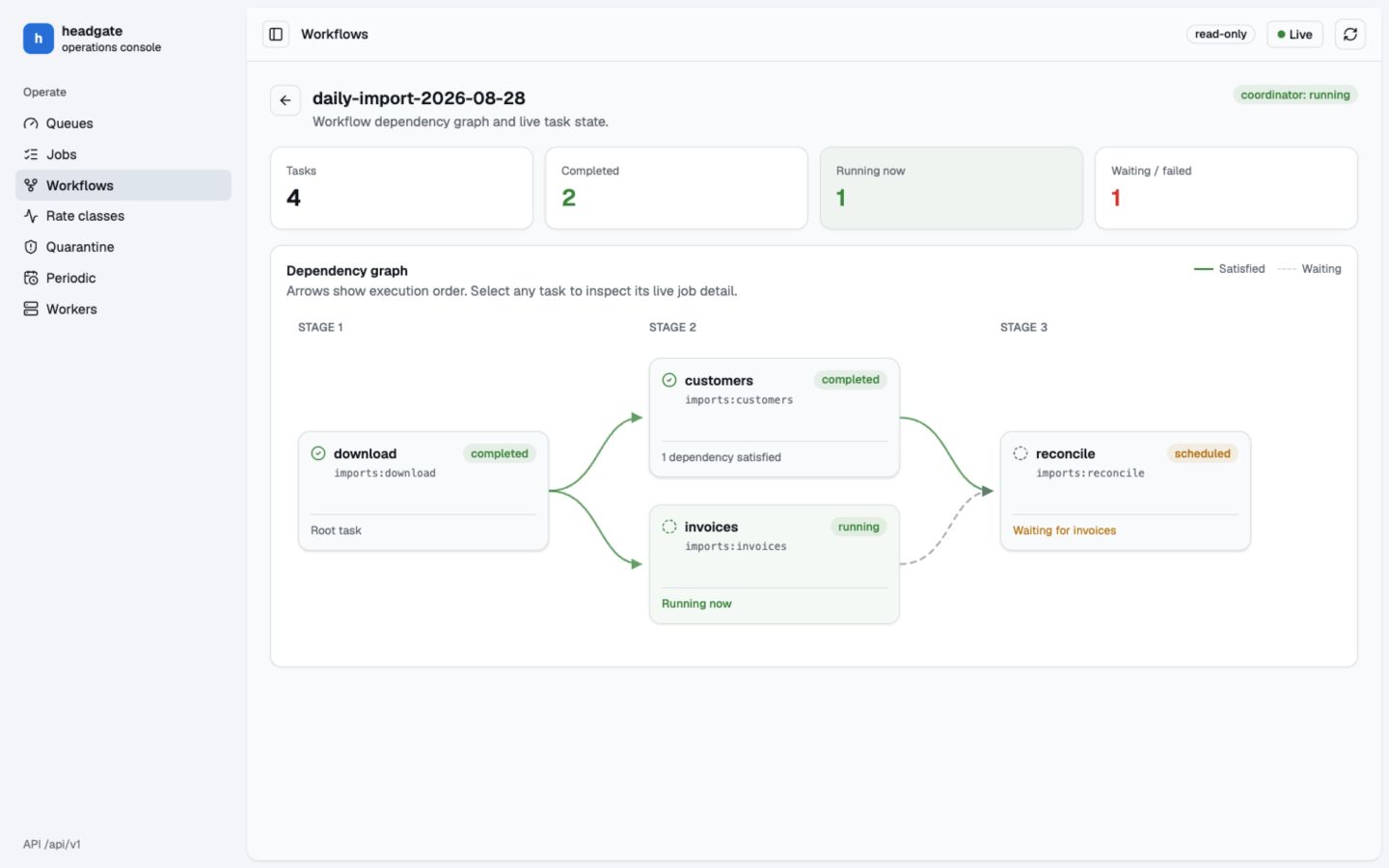
admission explanations, and a connected workflow graph with clickable task cards.
 ```bash theme={"system"}
cd examples/go
GOWORK=off go run ./ui_demo
```
Open [http://127.0.0.1:8080](http://127.0.0.1:8080).
To use another address:
```bash theme={"system"}
GOWORK=off go run ./ui_demo -addr 127.0.0.1:9090
```
Open **Workflows**, select the daily import, then click any task card. The job list remains
visible behind the detail sheet so operators retain context while inspecting a node.
```bash theme={"system"}
cd examples/go
GOWORK=off go run ./ui_demo
```
Open [http://127.0.0.1:8080](http://127.0.0.1:8080).
To use another address:
```bash theme={"system"}
GOWORK=off go run ./ui_demo -addr 127.0.0.1:9090
```
Open **Workflows**, select the daily import, then click any task card. The job list remains
visible behind the detail sheet so operators retain context while inspecting a node.